



News
Alarme für Aktienkurse anlegen
22.01.2020 - Die Alarme für Aktienkurse können nun über die Seiten Aktuelle Kursentwicklungen und Aktiengesellschaften angelegt werden. ... more...
rOb.by - Deine ultimative Nachrichten-Alarmierungs-App!
Nichts Wichtiges mehr verpassen
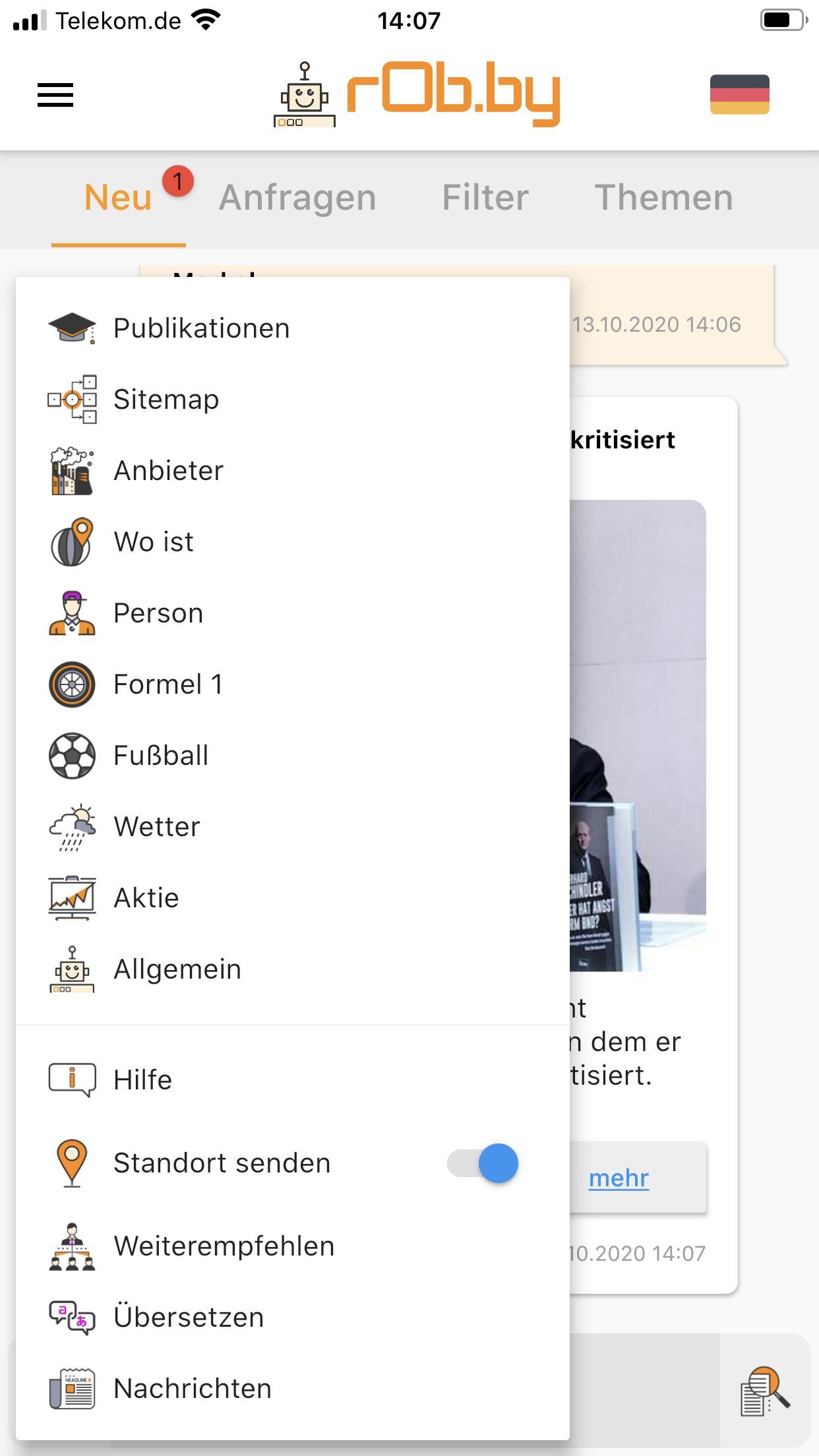
Mit rOb.by bleibst du stets auf dem Laufenden und verpasst keine wichtigen Nachrichten mehr. Unsere App bietet dir eine unkomplizierte Benutzeroberfläche, die es dir leicht macht, auf die neuesten Ereignisse zuzugreifen. Egal, ob es sich um politische Entwicklungen, wirtschaftliche Veränderungen oder sportliche Ereignisse handelt - du wirst immer als Erster informiert. Mit rOb.by kannst du außerdem personalisierte Benachrichtigungsregeln festlegen. Du bestimmst, wann und wie oft du Benachrichtigungen erhalten möchtest und welche Kategorien und Themen dich am meisten interessieren. Auf diese Weise bekommst du nur die Nachrichten, die wirklich relevant für dich sind. Aber das ist noch nicht alles! Mit rOb.by kannst du auch in Gruppen chatten und dich mit anderen Nutzern austauschen. Das Beste daran ist, dass du in verschiedenen Sprachen chatten kannst. Das bedeutet, dass du dich mit Menschen auf der ganzen Welt verbinden und kommunizieren kannst, unabhängig von der Sprache, die sie sprechen. Unsere App bietet auch eine Vielzahl von Anpassungsmöglichkeiten, mit denen du sie ganz nach deinen Wünschen gestalten kannst. Wähle aus verschiedenen Farben, Schriftarten und Themen, um dein persönliches Nachrichtenerlebnis zu schaffen. rOb.by ist die perfekte App für alle, die ständig auf dem neuesten Stand sein möchten und sich gerne mit anderen Menschen in verschiedenen Sprachen austauschen. Lade sie hier noch heute für Dein Android- oder iOS-Gerät herunter und bleibe informiert! |
Die Mehrsprachen-Chat-Funktion
Die Mehrsprachen Chat-Funktion von rOb.by ist einzigartig und bietet eine nahtlose Kommunikation zwischen Menschen, die unterschiedliche Sprachen sprechen. In der Gruppen-Chat-Funktion können Benutzer in ihrer bevorzugten Sprache schreiben und die anderen Gruppenmitglieder sehen ihre Nachricht in der Sprache, die sie für die Benutzeroberfläche der App eingestellt haben. Das bedeutet, dass jeder Benutzer in seiner eigenen Sprache kommunizieren kann, ohne dass es zu Missverständnissen kommt. Diese Funktion ist ideal für Menschen, die gerne internationale Kontakte knüpfen oder mit Freunden und Familie in anderen Ländern in Kontakt bleiben möchten. Mit rOb.by ist es einfacher denn je, in einer Gruppe mit Menschen aus verschiedenen Ländern und Kulturen zu kommunizieren, ohne dabei auf die Sprachbarriere zu stoßen.
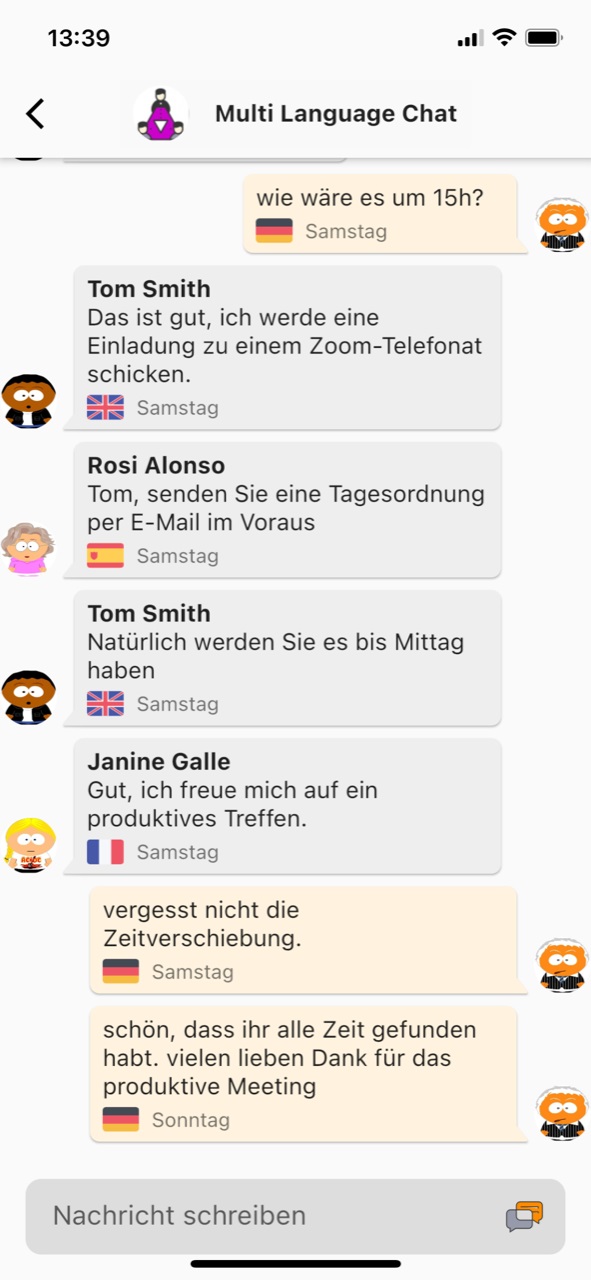
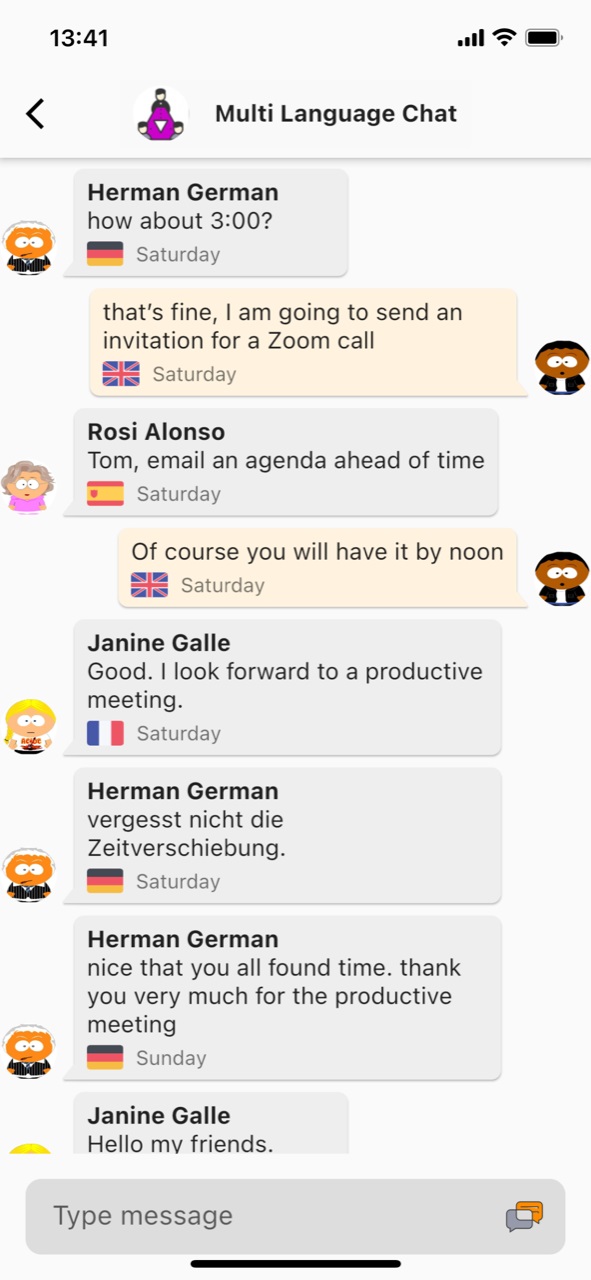
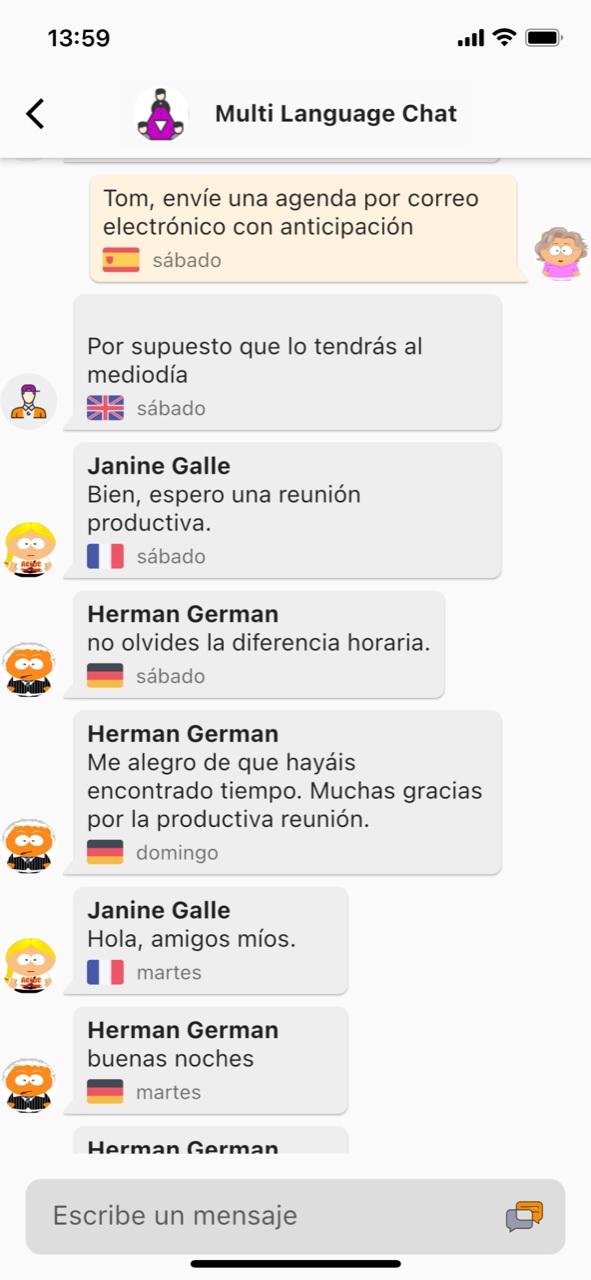
Vereine, Parteien und Verbände, die aus Mitgliedern unterschiedlicher Nationalitäten oder Sprachen bestehen, können mit rOb.by eine Gruppen-Chat-Funktion nutzen, in der jeder in seiner bevorzugten Sprache kommunizieren kann. Dies erleichtert die Zusammenarbeit und den Austausch von Ideen und Informationen erheblich. Auch Freundeskreise und Interessengruppen profitieren von der Mehrsprachen-Chat Funktion. Sie können sich in ihrer bevorzugten Sprache unterhalten, ohne dass es zu Missverständnissen kommt. Die Möglichkeit, in verschiedenen Sprachen zu kommunizieren, fördert zudem das Verständnis und die kulturelle Vielfalt. Insgesamt bietet die Mehrsprachen-Chat Funktion von rOb.by eine hervorragende Möglichkeit, eine effektive und harmonische Gruppenkommunikation zu gewährleisten, unabhängig von der Sprache und der Nationalität der Gruppenmitglieder.